
Reset
X moves the current branch to another commit, like
git reset. Pick where it goes in the graph, the branch list or the tag
list:
| Where | X resets the current branch to |
|---|---|
| Graph | The selected commit |
| Branches | The selected branch: your local branch if you have one, else the remote branch. On the checked-out branch, its remote branch, such as origin/main. |
| Tags | The selected tag |
On the checked-out branch with no remote branch, X only says that’s the checked-out branch: there’s nowhere to move it.
Soft, mixed or hard
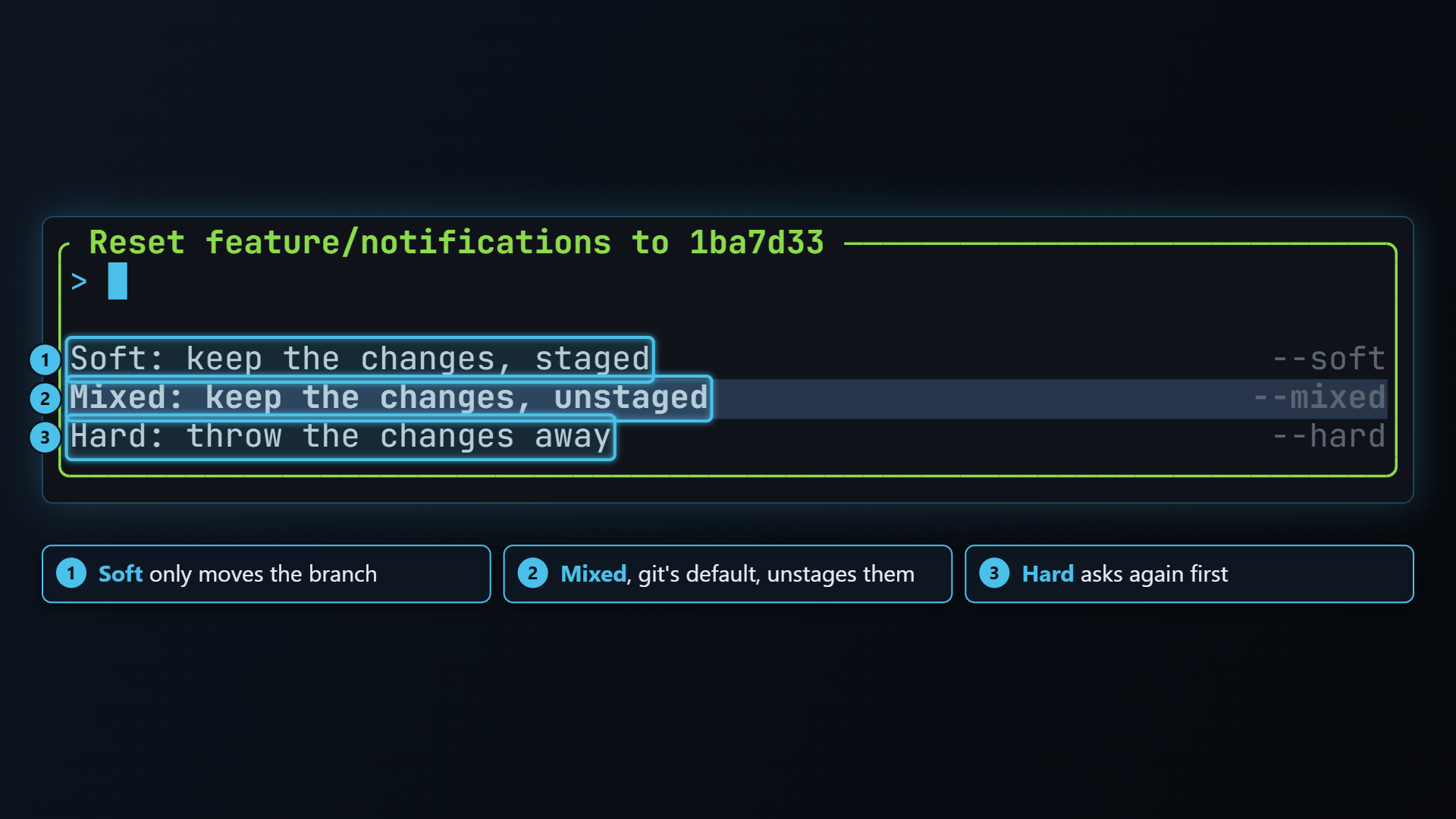
Section titled “Soft, mixed or hard”X opens Reset <branch> to <target>, a list of three ways to do it. Pick one with enter, or press esc to cancel. The list starts on Mixed, git’s default.
| Choice | Runs | What happens to the changes |
|---|---|---|
| Soft: keep the changes, staged | git reset --soft <target> | Only the branch moves. Everything between the target and where the branch was, plus what you had staged, is left staged, ready to commit again. |
| Mixed: keep the changes, unstaged | git reset --mixed <target> | The index matches the target. The changes are left in your files, unstaged. |
| Hard: throw the changes away | git reset --hard <target> | Your files match the target. Uncommitted changes to tracked files are gone. |
Soft and mixed run straight away: they never change a file, and undo puts the branch back exactly.
Hard asks first
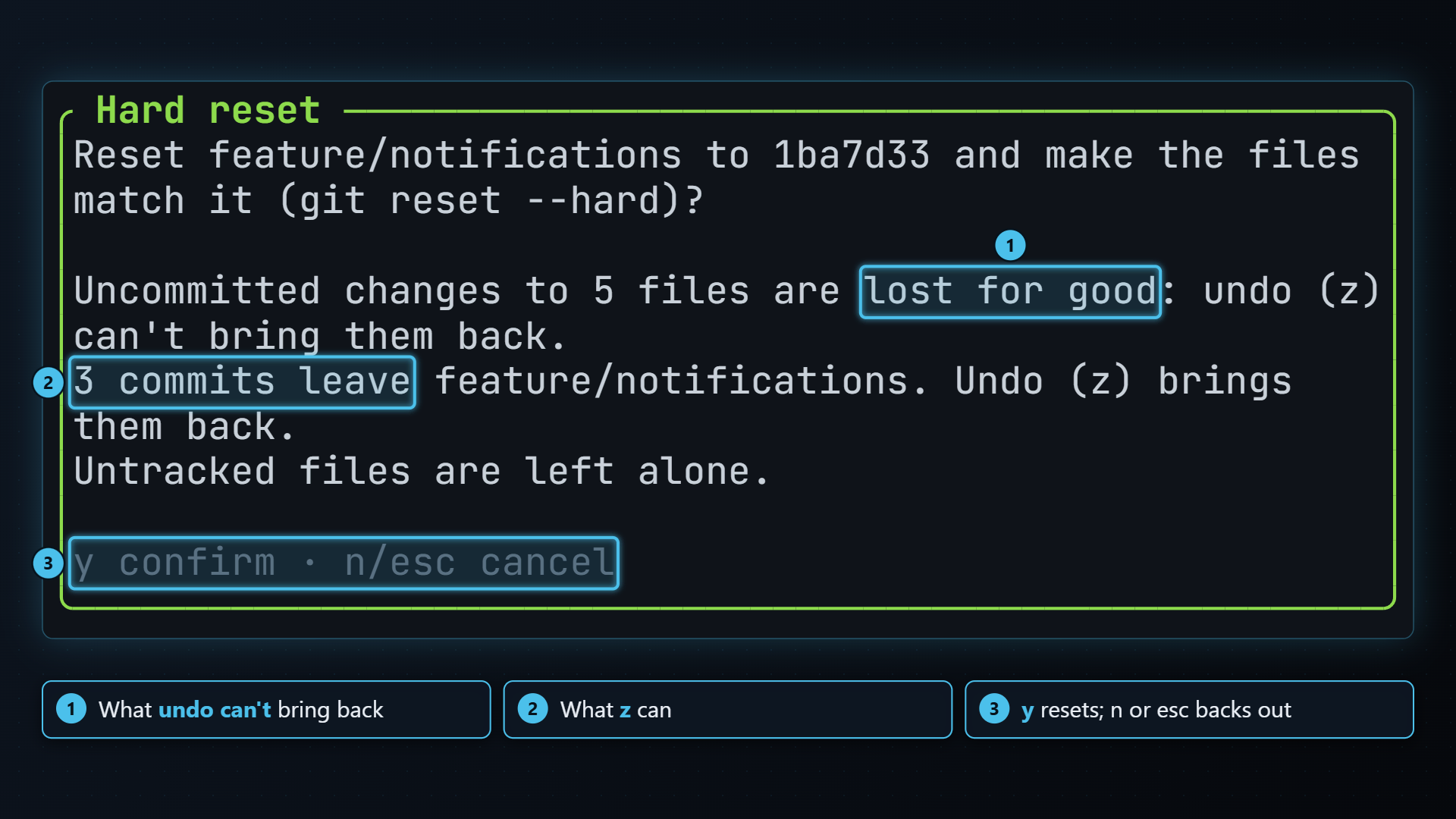
Section titled “Hard asks first”Hard asks again before it does anything, and says what you lose:
For example:
Reset main to 1a2b3c4 and make the files match it (git reset --hard)?
Uncommitted changes to 2 files are lost for good: undo (z) can't bring them back.3 commits leave main. Undo (z) brings them back.Untracked files are left alone.
With nothing uncommitted, the first line says There are no uncommitted changes to lose. The commits line only shows when the branch has commits the target doesn’t. Press y to reset, n or esc to leave everything as it is.
When it’s done, the help bar shows ✓ reset --hard 1a2b3c4 (or --soft,
--mixed) and the graph moves to the new head.
Undoing a reset
Section titled “Undoing a reset”Undo with z moves the branch back to where it was before the reset, the same way the reset moved it:
- After a soft reset, undo runs
git reset --softback: what the reset left staged is part of the branch again, and nothing is left over. - After a mixed reset, undo runs
git reset --mixedback: the index matches the branch again, and your files are as they were. - After a hard reset, undo runs
git reset --keepback: the commits and their files return. Uncommitted changes the hard reset threw away don’t.