
Install
Requirements
Section titled “Requirements”- git 2.31 or newer on your
PATH. tt-git runs thegityou already have for everything, so it follows your config, hooks,.mailmapand credential helpers. - A terminal with true color and Unicode box drawing. Windows Terminal, iTerm2, WezTerm, kitty, Alacritty and GNOME Terminal all work.
tt-git runs on Linux (x64, arm64), macOS (Apple Silicon) and Windows (x64, arm64).
Install script
Section titled “Install script”The install script downloads the latest release for your platform, checks it
against the release’s checksums and puts tt-git on your PATH.
curl -fsSL https://github.com/ThirtyTech/tt-git/releases/latest/download/install.sh | shIt installs into ~/.local/bin, and tells you how to add that to your
PATH if it isn’t there already.
In PowerShell:
powershell -ExecutionPolicy Bypass -c "irm https://github.com/ThirtyTech/tt-git/releases/latest/download/install.ps1 | iex"It installs into %LOCALAPPDATA%\Programs\tt-git\bin and adds that to your
user PATH. Open a new terminal afterwards.
Run the same command again to update, or see Updating. Two environment variables change what it does:
| Variable | Does |
|---|---|
TTGIT_VERSION | Install this release, such as v0.2.0, instead of the latest |
TTGIT_INSTALL_DIR | Install into this folder instead |
Each release also shows the commands that install exactly that version.
Updating
Section titled “Updating”Once tt-git is installed, it can update itself:
tt-git updateIt installs the latest release over the tt-git you ran, using the same install
script, and says so if you’re already up to date. tt-git update --check only
checks, and tt-git update v0.2.0 installs a particular release. In the UI,
run Update tt-git from the command palette.
Restart tt-git afterwards to use the new version. See
tt-git update.
Download a release
Section titled “Download a release”Every release has an archive
for each platform, named like tt-git-v0.2.0-linux-x64.tar.gz:
| Platform | Archive |
|---|---|
| Linux x64 | linux-x64.tar.gz |
| Linux arm64 | linux-arm64.tar.gz |
| macOS Apple Silicon | macos-arm64.tar.gz |
| Windows x64 | windows-x64.zip |
| Windows arm64 | windows-arm64.zip |
Unpack it and put tt-git (tt-git.exe on Windows) somewhere on your
PATH. SHA256SUMS.txt on the release lists each archive’s checksum.
Build from source
Section titled “Build from source”You need Rust 1.89 or newer, from rustup.rs.
-
Clone the repository:
Terminal window git clone https://github.com/thirtytech/tt-gitcd tt-git -
Build and install the
tt-gitbinary into~/.cargo/bin:Terminal window cargo install --path crates/tt-git -
Check that it’s on your
PATH:Terminal window tt-git --version
Open a repository
Section titled “Open a repository”Run tt-git inside a repository, or give it a path:
tt-git # the repository in the current directorytt-git path/to/repo # another repositoryAny folder inside a repository works; tt-git finds the top of it the same way git does. Linked worktrees work too. If the folder isn’t in a repository, tt-git says so and exits.
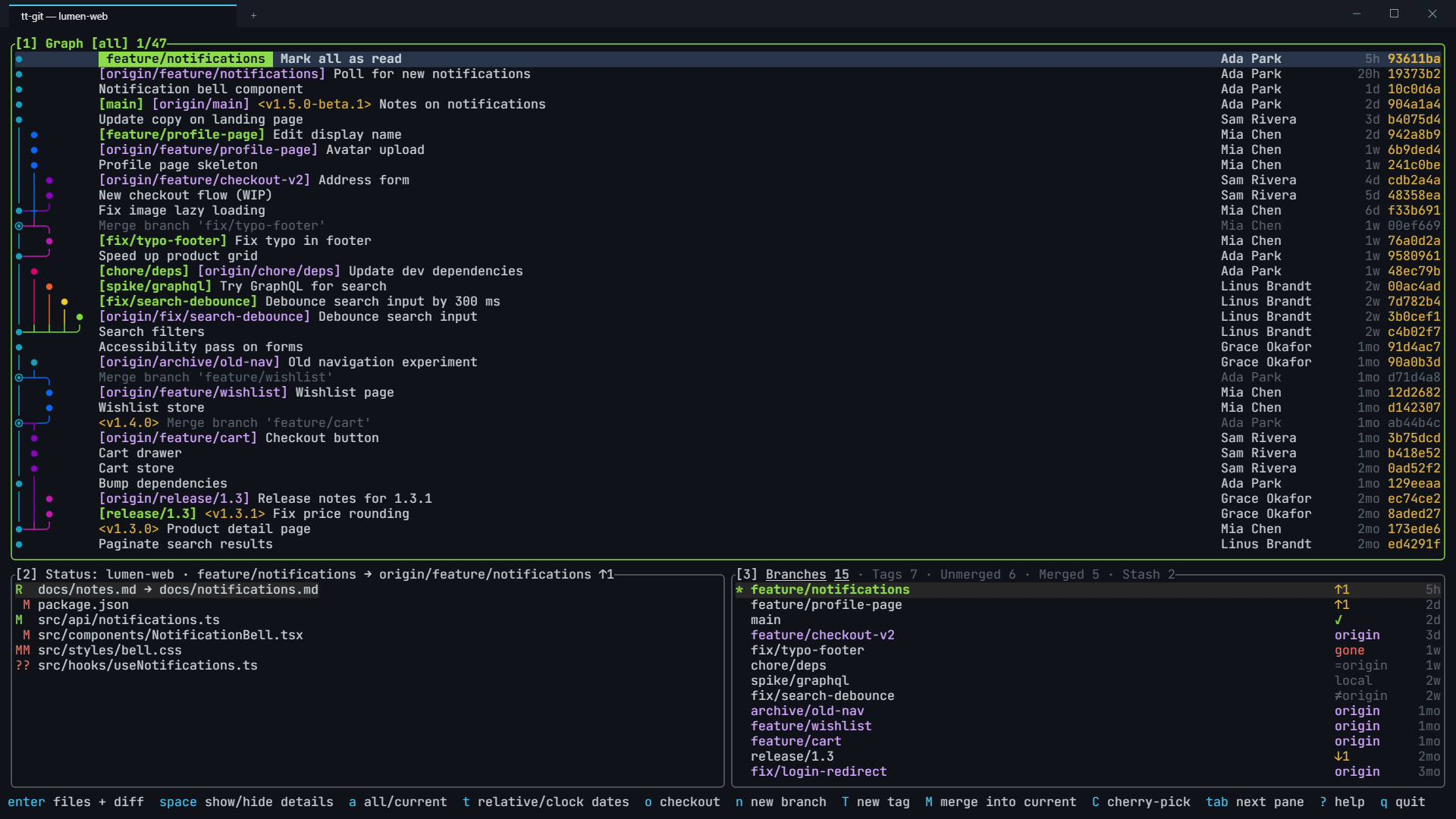
Press q to quit.
Command line options
Section titled “Command line options”| Option | Does |
|---|---|
PATH | Open this repository instead of the current directory |
--config FILE | Read settings from this file instead of the default config.toml (see Configuration file) |
--no-plugins | Start without plugins and without the plugin API socket |
--version, --help | Print the version or help and exit |
tt-git also has subcommands for managing plugins and scripting a running
instance, such as tt-git plugin list and tt-git status --json. They’re
listed in Command line.