
Layout
The [layout] table in config.toml decides where each
pane goes. It’s a tree: each node is either a pane or a split that holds more
nodes.
The default layout
Section titled “The default layout”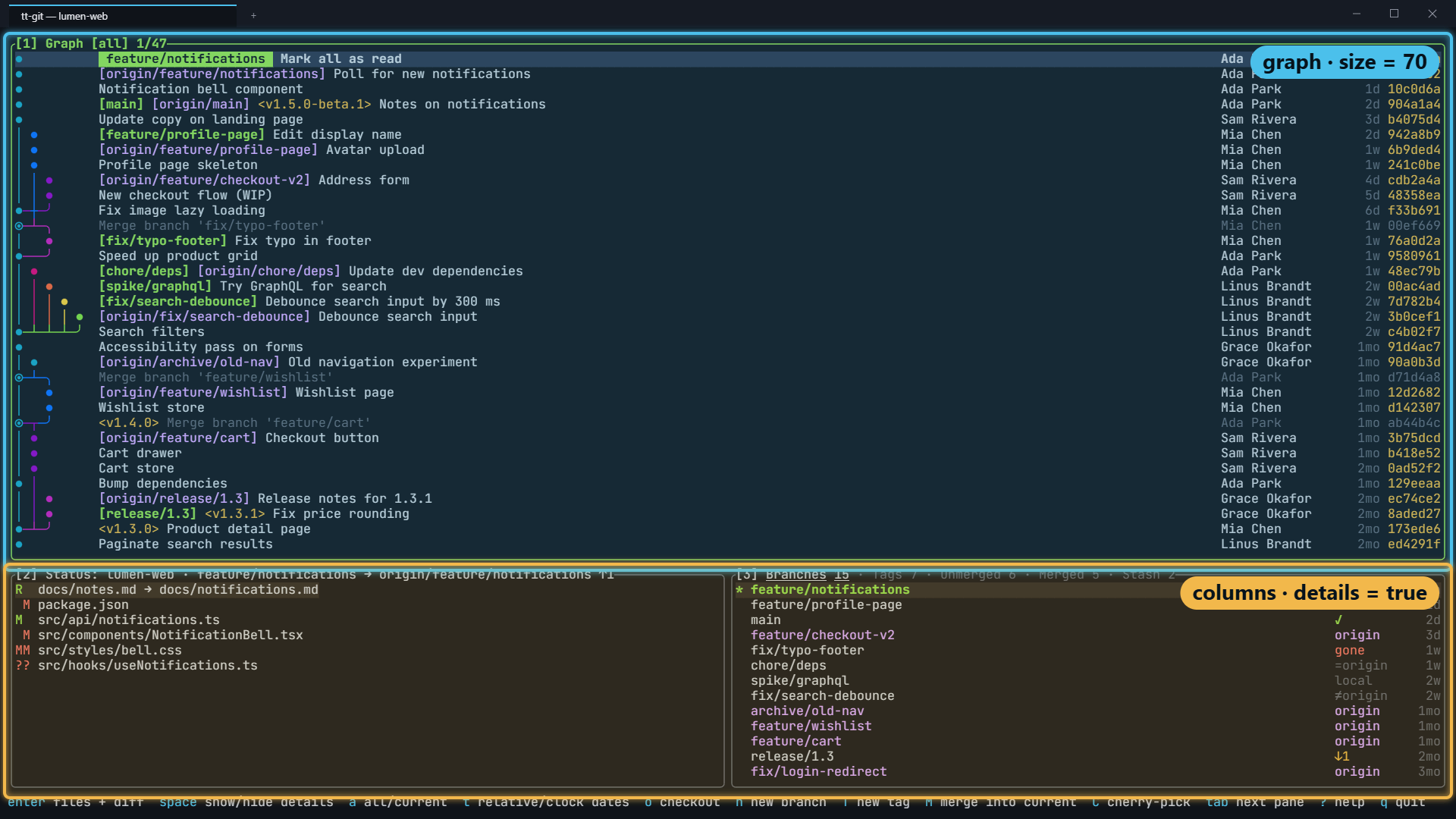
[layout]split = "rows"children = [ { pane = "graph", size = 70 }, { split = "columns", details = true, children = [{ pane = "status" }, { pane = "branches" }] },]The graph spans the top 70% of the screen. Status and branches sit side by
side below it. That bottom row is marked details = true, so when you open
details (space on a commit, or 4), details takes the
row’s place until you close it.
How the tree works
Section titled “How the tree works”Each node has either pane or split, never both.
| Key | On | Means |
|---|---|---|
pane | a leaf | One of graph, status, branches or details. |
split | a split | rows stacks its children top to bottom; columns puts them side by side, left to right. |
children | a split | The nodes inside it. A split needs at least one; a pane can’t have any. |
size | any node | A percentage of the parent split, from 1 to 99. Children without a size share whatever is left. |
details | any node | true marks the node details opens in place of. |
The rules tt-git checks when it loads the layout:
graph,statusandbrancheseach appear exactly once.- Details is placed once: either as a
detailspane of its own, or by marking one nodedetails = true. Not both. - The node marked
details = truecan’t contain the graph. - The sizes in a split can’t add up to more than 100, or to 100 when the split also has children without a size.
A layout that breaks a rule is reported as an error when tt-git starts, with what’s wrong.
Where details opens
Section titled “Where details opens”You have two choices.
Details opens on demand. Mark a node details = true, as the default
layout does. Details stays hidden until you press space on a commit
in the graph, or 4. It then takes that
node’s place until you press space again (in the graph or details),
esc, or focus a pane it covers. Nothing loads into details while
it’s hidden.
Details is always on screen. Give it a { pane = "details" } leaf of its
own instead. It then follows the selection in the graph and branches pane all
the time.
+ zooms whatever layout you use: the focused pane (details, or else the graph) fills the screen, and the next + goes back. With the graph zoomed, space opens details below it at full width, and closes it again.
Examples
Section titled “Examples”The four-pane layout
Section titled “The four-pane layout”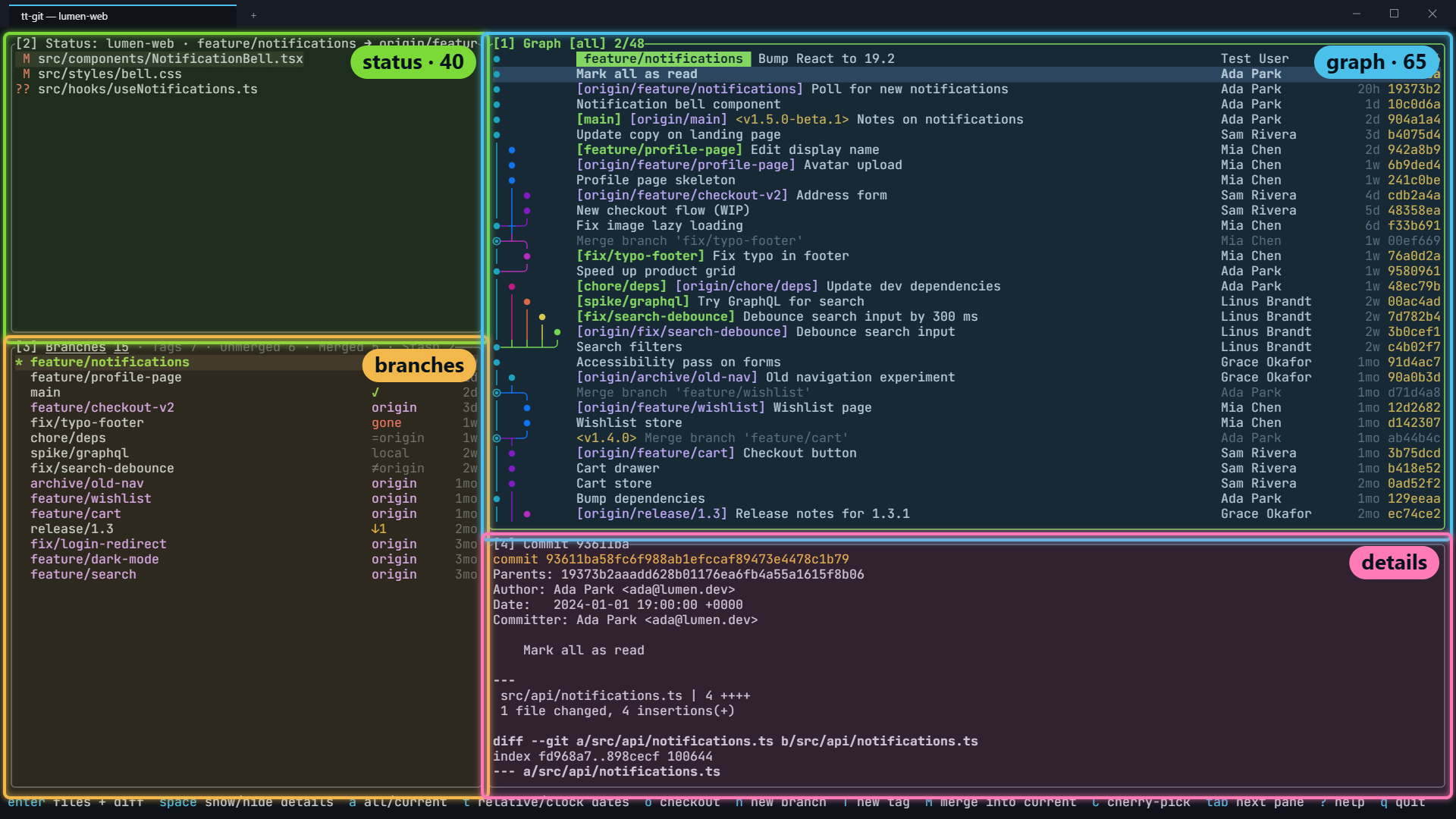
Earlier versions of tt-git kept details on screen all the time, in a four-pane layout. To get it back:
[layout]split = "columns"children = [ { size = 33, split = "rows", children = [{ pane = "status", size = 40 }, { pane = "branches" }] }, { split = "rows", children = [{ pane = "graph", size = 65 }, { pane = "details" }] },]Status (40%) and branches are stacked in the left third. The graph (65%) and details are stacked on the right.
Details beside the graph
Section titled “Details beside the graph”Details opens in place of the right column, next to a full-height graph:
[layout]split = "columns"children = [ { pane = "graph", size = 60 }, { split = "rows", details = true, children = [{ pane = "status" }, { pane = "branches" }] },]Details in place of one pane
Section titled “Details in place of one pane”details = true can go on a single pane, too. Here details covers only the
branches pane and leaves status visible:
[layout]split = "rows"children = [ { pane = "graph", size = 70 }, { split = "columns", children = [{ pane = "status" }, { pane = "branches", details = true }] },]Moving between panes
Section titled “Moving between panes”The layout also decides what ctrl+h, ctrl+j, ctrl+k and ctrl+l do: they focus the pane to the left, below, above or to the right of the focused one, wherever it is on screen. 1 to 4 and tab work the same in any layout. See Moving around.