
Themes
tt-git starts in its own colors, drawn from your terminal’s palette. A theme replaces them with a palette of its own: borders, the selection, branch badges, graph lanes, diffs, blame and code colors all change together.
Picking a theme
Section titled “Picking a theme”Open the command palette (:) and run Theme. A Theme list opens on the theme you’re using.
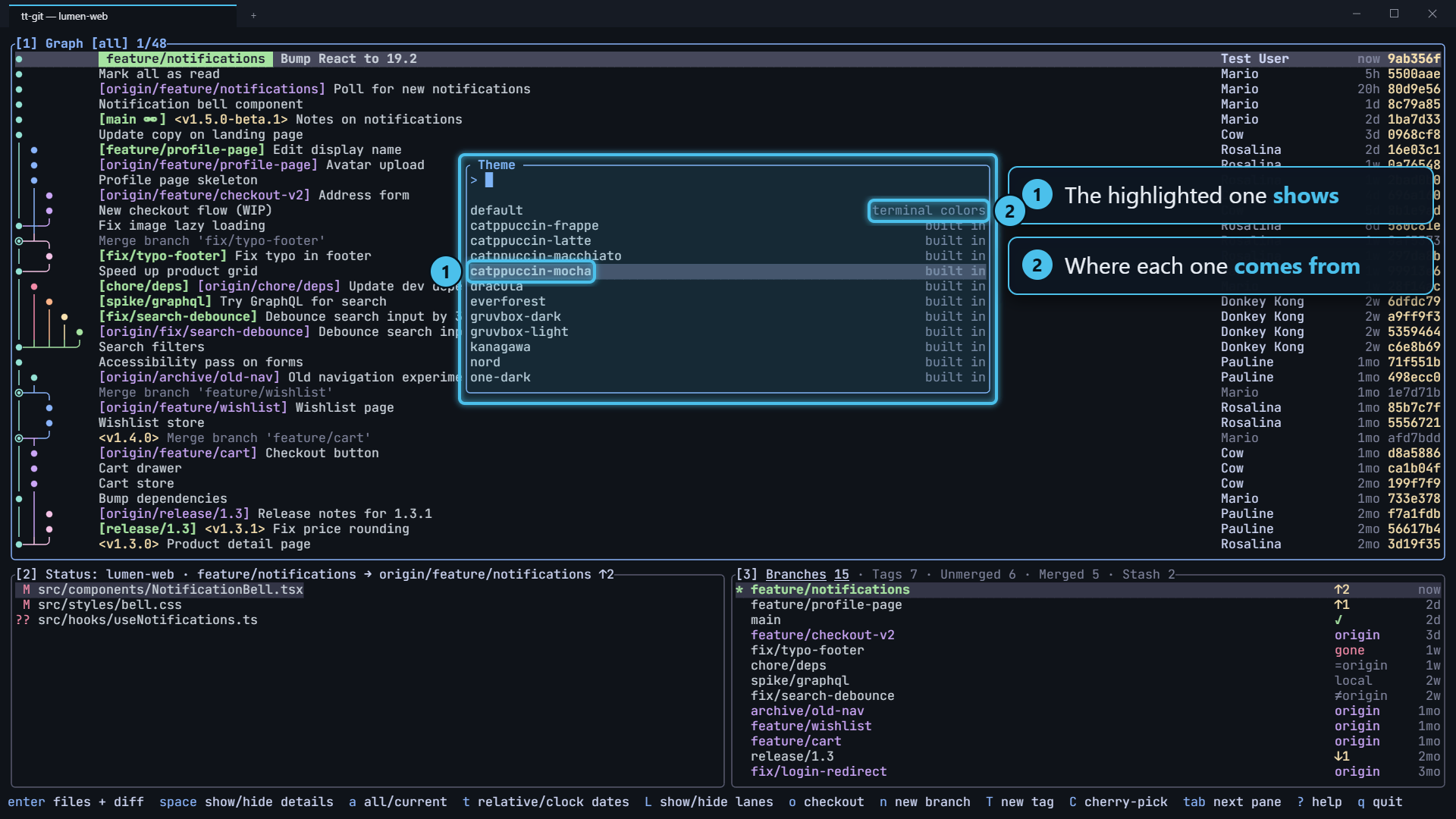
As you move through the list, the screen changes to the highlighted theme, so you can see each one before you choose. Type to narrow the list, as in the palette.
| Key | Does |
|---|---|
| ↓ / ctrl+n, ↑ / ctrl+p | Next or previous theme, shown at once |
| enter | Keep the theme and save it to config.toml |
| esc | Close the list and go back to the theme you had |
enter sets theme = "<name>" in your
config file, making the file if there isn’t one. Its other
lines and comments stay as they were. The help bar says theme nord, saved to
…/config.toml. If the file can’t be written, an error popup says why, and
the theme still applies until you quit.
Theme has no key. To give it one, bind theme; see
Key bindings.
Setting it in config
Section titled “Setting it in config”Or set it yourself in config.toml:
theme = "tokyo-night"| Value | Theme |
|---|---|
unset or "default" | tt-git’s own colors, in your terminal’s palette |
"omarchy" | Omarchy’s current theme, and it follows Omarchy as you switch |
"omarchy:<name>" | One of Omarchy’s themes, such as "omarchy:lumon" |
| a built-in name | One of the built-in themes |
| any other name | Your own, from themes/<name>.toml |
If tt-git can’t find or read the theme, it starts in its own colors and an error popup says why, for example theme nrod: no such theme. Built in are default, omarchy and catppuccin-frappe, ….
Built-in themes
Section titled “Built-in themes”| Name | |
|---|---|
catppuccin-mocha, catppuccin-macchiato, catppuccin-frappe | Catppuccin, dark |
catppuccin-latte | Catppuccin, light |
dracula | Dracula |
everforest | Everforest, dark |
gruvbox-dark, gruvbox-light | Gruvbox |
kanagawa | Kanagawa (wave) |
nord | Nord |
one-dark | One Dark, as in Atom |
rose-pine, rose-pine-dawn | Rosé Pine, dark and light |
solarized-dark, solarized-light | Solarized |
tokyo-night | Tokyo Night |
Omarchy
Section titled “Omarchy”On Omarchy, set
theme = "omarchy" and tt-git uses whatever theme Omarchy has. When you switch
themes in Omarchy (Style > Theme, or omarchy theme set), tt-git recolors
itself within a second, with no restart. The picker shows this entry as
follows Omarchy (tokyo-night), with the theme Omarchy has now.
tt-git reads the current theme’s colors from
~/.local/state/omarchy/current/theme/colors.toml, or from
~/.config/omarchy/current/theme/colors.toml on Omarchy before 3.0.
To keep one Omarchy theme whatever Omarchy is set to, use
theme = "omarchy:<name>". tt-git looks for <name>/colors.toml in
~/.config/omarchy/themes (the themes you installed or made) and then in
Omarchy’s own themes ($OMARCHY_PATH/themes, by default
~/.local/share/omarchy/themes). The picker lists every Omarchy theme it
finds there.
Your own themes
Section titled “Your own themes”Put a file in the themes folder next to config.toml:
~/.config/tt-git/themes/<name>.toml, or %APPDATA%\tt-git\themes\<name>.toml
on Windows. Then set theme = "<name>", or pick it in the picker, where it
shows as yours. A file named like a built-in theme replaces it.
The file uses Omarchy’s colors.toml format, so you can copy an Omarchy theme’s
colors.toml as it is:
mode = "dark" # or "light"accent = "#7aa2f7" # the focused pane's border and title, keys in the help barselection = "#292e42" # behind the selected rowmuted = "#414868" # bordersbackground = "#1a1b26"lighter_background = "#24283b"foreground = "#a9b1d6" # textdark_foreground = "#565f89" # dates, hints, code commentsred = "#f7768e" # removed lines, errorsorange = "#ff9e64"yellow = "#e0af68" # commit hashes, tagsgreen = "#9ece6a" # added lines, local branchescyan = "#7dcfff" # hunk headersblue = "#7aa2f7"magenta = "#bb9af7" # remote branches, keywordsbright_red = "#ff7a93"bright_yellow = "#e0af68"bright_green = "#b9f27c"bright_cyan = "#2ac3de"bright_blue = "#7da6ff"bright_magenta = "#c0a8ff"Every key is optional. A missing bright_ color is the plain one, accent
is blue, orange is yellow, and the rest are worked out from the
background and text. Colors are written #rrggbb or #rgb. Keys tt-git doesn’t
use, like Omarchy’s brown or darker_background, are ignored. A color that
isn’t a color is an error that names the key.
tt-git watches the theme’s file while it runs. Save a change and tt-git redraws in the new colors within a second, which makes tuning a theme quick.
The background
Section titled “The background”A theme leaves your terminal’s background alone and colors only the text, borders and highlights on top of it. That suits a terminal set to the same theme, as Omarchy sets it. A light theme on a dark terminal, or the other way round, is hard to read.
To have tt-git paint the theme’s background as well, set:
theme = "catppuccin-latte"theme_background = true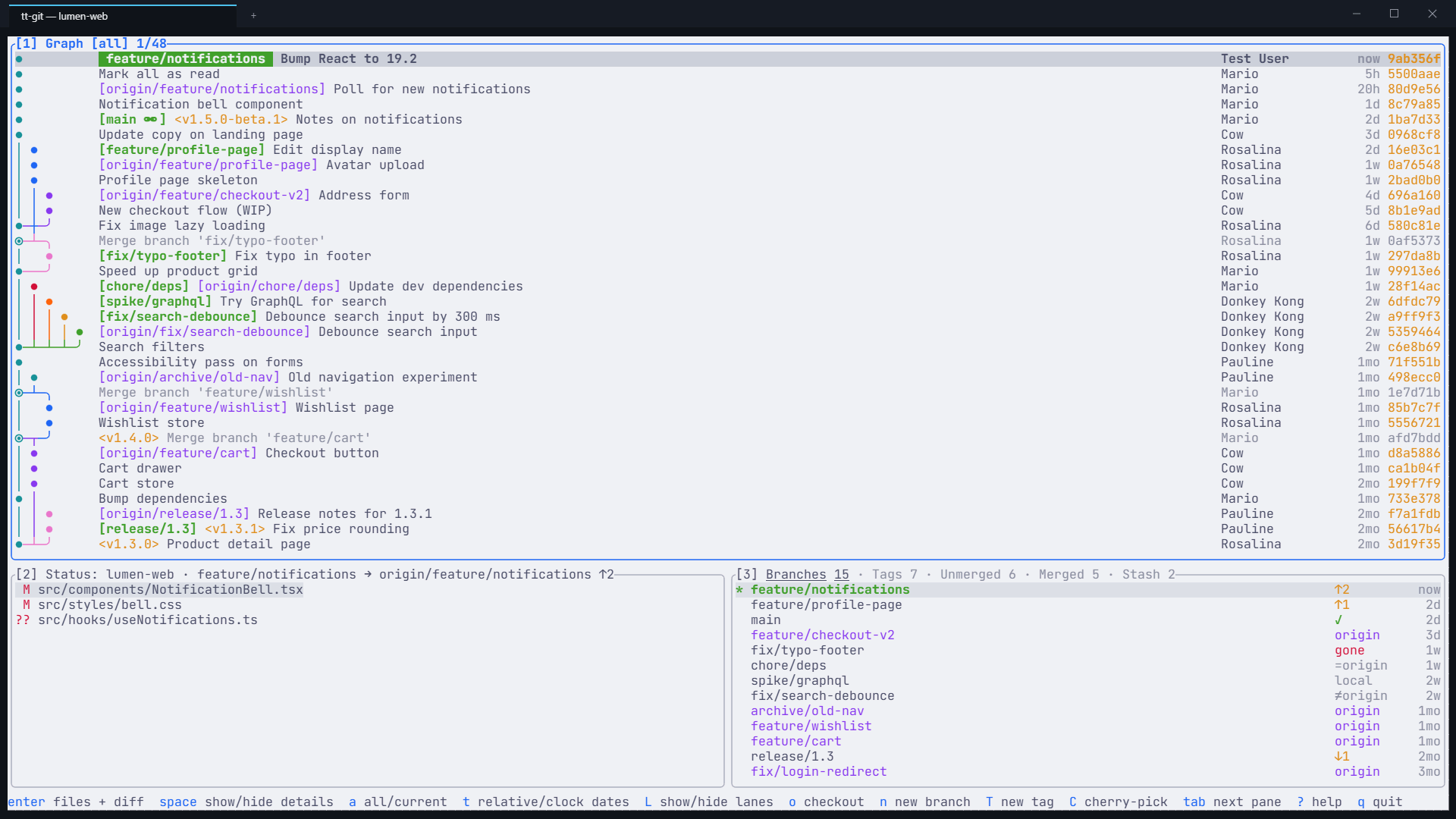
Everything tt-git draws then has the theme’s background and text color,
popups and plugin panes included. With the default theme there’s no
background to paint, so theme_background changes nothing.