
Tags
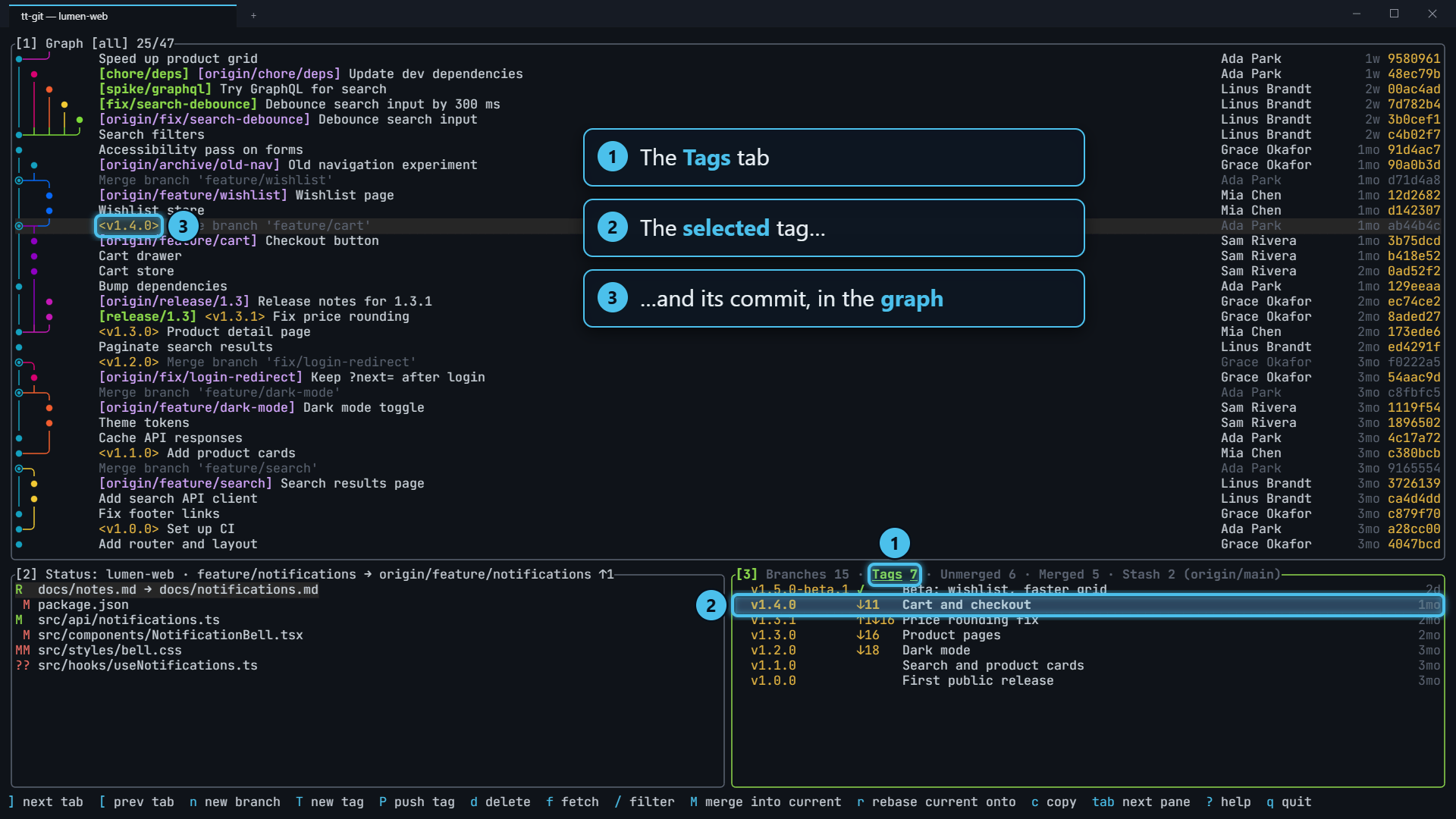
The Tags tab of the branches pane lists every tag, newest first, with its message and age. Tags are treated as releases: the five newest also show how far they are from the base branch, so the newest tag tells you how many commits are waiting to be released and how long ago the last release was. Selecting a tag moves the graph to its commit.
What it shows
Section titled “What it shows”Press ] on the branches pane to get to Tags. Each row has:
v1.2.0 ↓12 Release 1.2.0: faster graph loads 3d v1.1.1 ↑1↓40 Fix crash on empty repos 2w v1.1.0 ↓52 Release 1.1.0 1mo v1.0.0 First stable release 4mo- The name, in the tag color.
- The distance from the base branch, for the five newest tags (below).
- The subject: the tag message’s first line for an annotated tag, or the commit’s subject for a lightweight one.
- The age:
3d,2w,4mo.
Tags are ordered by creation date: the tagger date for an annotated tag, the commit date for a lightweight one. Version numbers in names aren’t parsed; the newest tag is the one made last.
Distance from the base branch
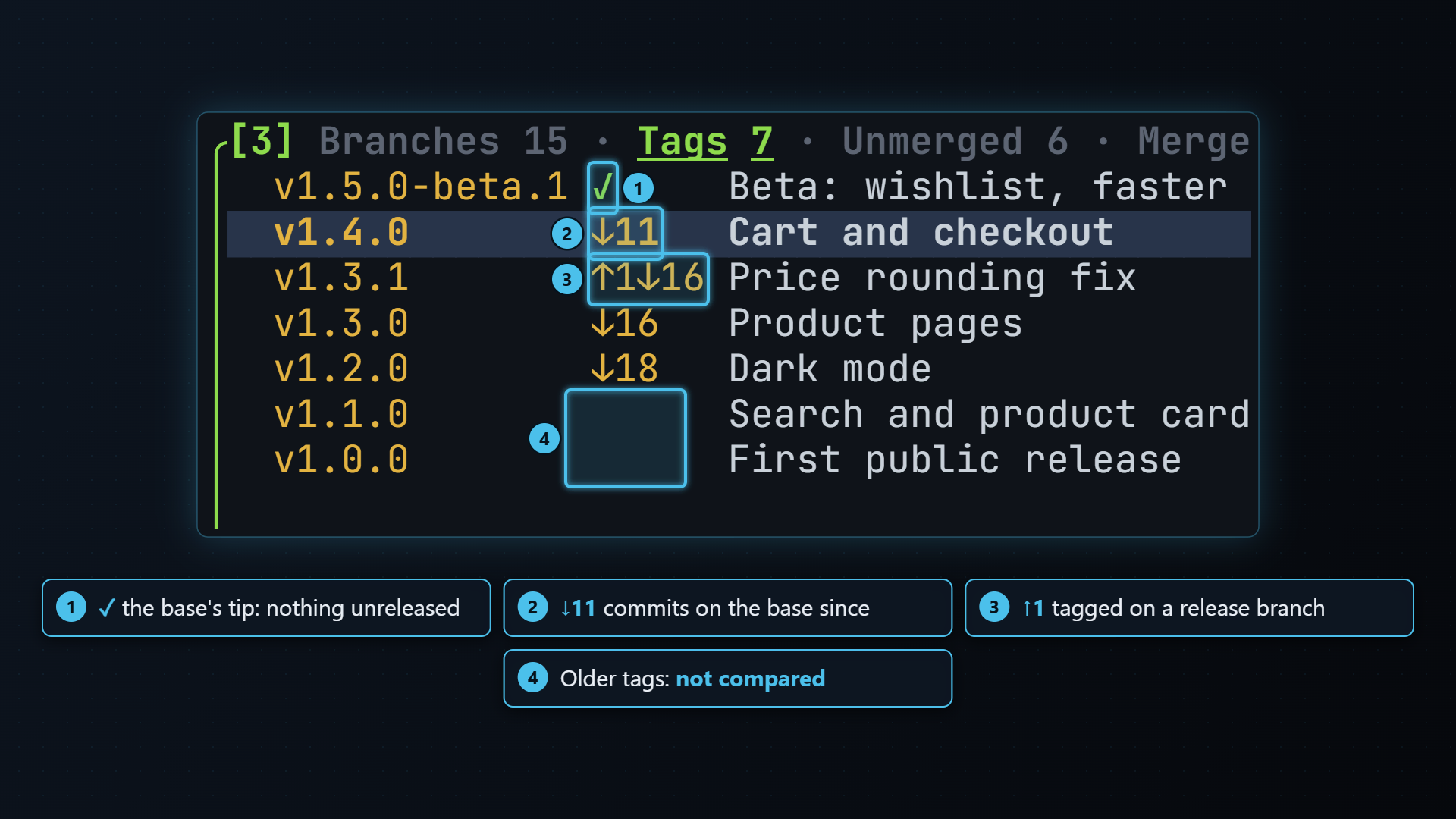
Section titled “Distance from the base branch”The five newest tags show how far they are from the base branch, the same one the Merged and Unmerged tabs use:
| Shown | Means |
|---|---|
↓12 | The base has 12 commits since this tag: 12 commits unreleased |
↑3 | The tag has 3 commits the base doesn’t, for example a fix tagged on a release branch |
↑3↓12 | Both |
✓ | The tag is the base’s tip; nothing unreleased |
So the newest tag’s ↓ is “commits since the last release”, and its age is
“how long since the last release”.
The counts are against the base branch, not against HEAD or the previous
tag, so they don’t change as you switch branches. Press b to pick
a different base.
Older tags are left blank. Each comparison walks history, which gets slower the older the tag is, so only five are compared.
Making a tag
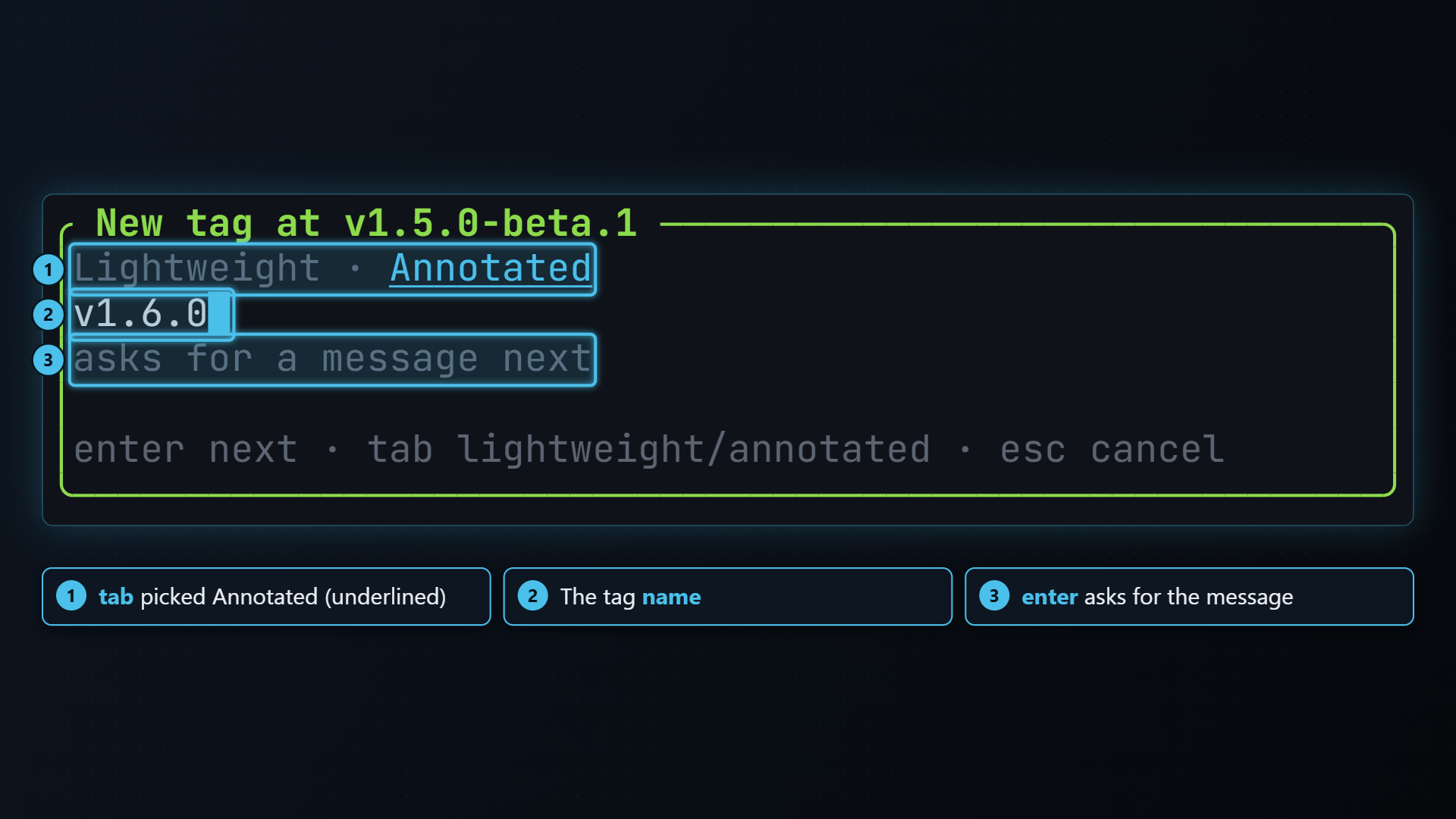
Section titled “Making a tag”T opens New tag at <name>. Press it on a commit in the graph, or on a branch or tag in the branches pane to tag the commit it points at. Type the name and press enter.
tab in the dialog switches between the two kinds of tag:
- Lightweight (the default) is just a name for the commit
(
git tag <name> <commit>). - Annotated also stores a message, your name and the date. enter
then asks for the message (Message for tag <name>), and the tag
is made with
git tag -a <name> -m <message> <commit>. The message’s first line is what this tab shows as the subject.
If the name is taken or isn’t a valid tag name, git’s error is shown and nothing changes.
Pushing a tag
Section titled “Pushing a tag”Tags stay local until you push them. P on the Tags tab pushes the
selected tag, and only that tag, with git push <remote> refs/tags/<name>.
The remote is origin, or your only remote if it’s called something else.
It doesn’t ask first. The help bar shows pushing tag v1.6.0 with a spinner
while it runs, then ✓ pushed tag v1.6.0.
Outside the Tags tab, P pushes the current branch as usual.
Deleting a tag
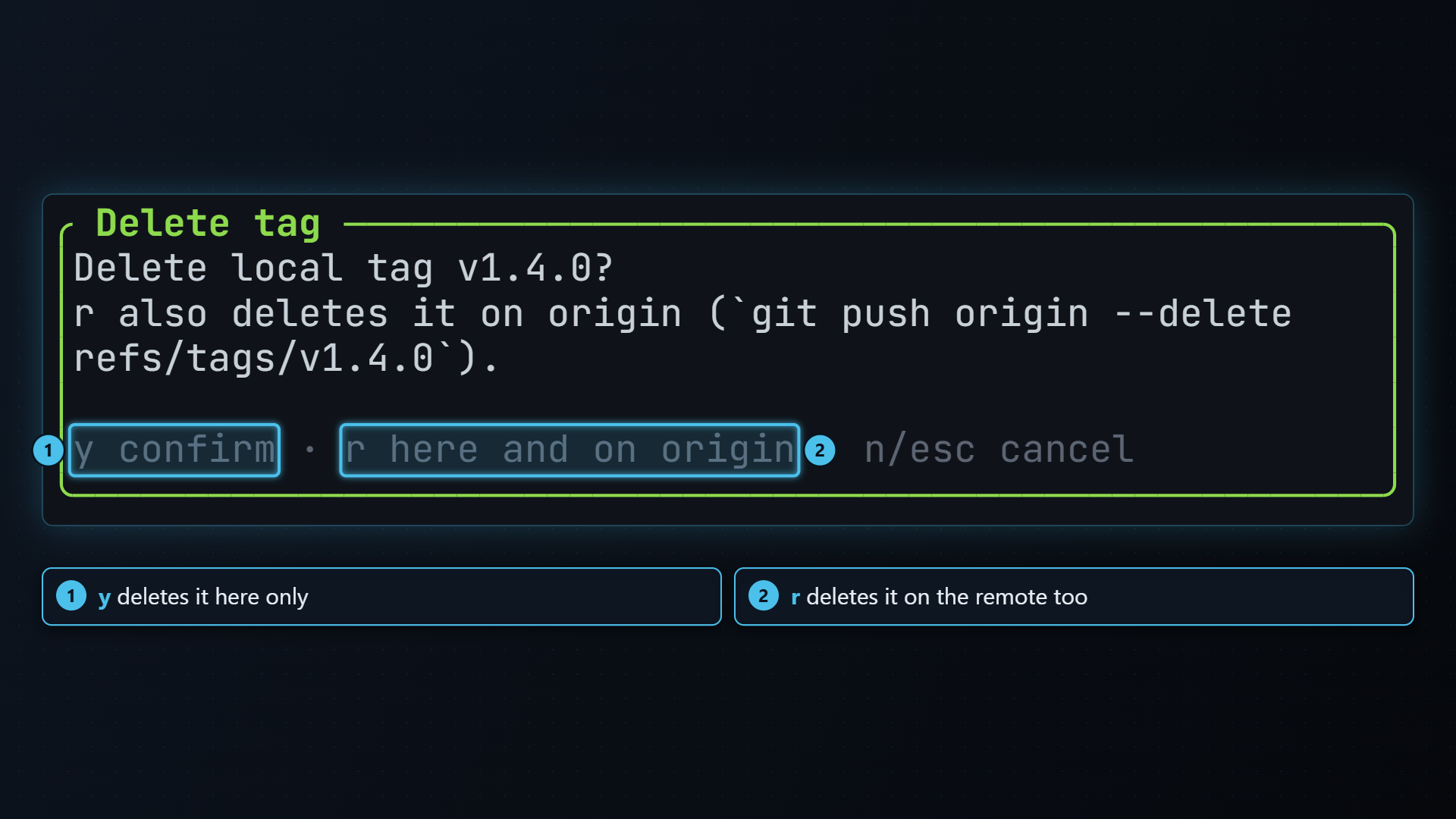
Section titled “Deleting a tag”d asks Delete local tag <name>? and answers:
- y deletes it here only (
git tag -d). A copy you’ve pushed stays on the remote, and comes back the next time you fetch tags from there. - r deletes it on the remote too: first
git push <remote> --delete refs/tags/<name>, thengit tag -d. If the remote refuses, the local tag is kept and git’s error is shown. The dialog names the remote, and only offers r when there is one. - n or esc keeps it.
Acting on a tag
Section titled “Acting on a tag”- n makes a branch starting at the tag (New branch from <tag>). enter on a tag reminds you of this, since a tag can’t be checked out as a branch.
- M merges the tag into the current branch; r rebases the current branch onto it. Both ask first.
- T, P and d make, push and delete tags, as above.
- c copies the tag name.
- / filters the list as you type.
| Key | Does |
|---|---|
| n | New branch from the tag |
| T | New tag at the same commit (tab in the dialog: annotated) |
| P | Push the tag to the remote |
| M | Merge the tag into the current branch |
| r | Rebase the current branch onto the tag |
| d | Delete the tag (asks: y here only, r here and on the remote) |
| c | Copy the tag name |
| / | Filter as you type (esc clears) |
| b | Pick the base branch the distances are measured against |
| f | git fetch --all --prune |
| ] [ | Next / previous tab |