
The desktop app
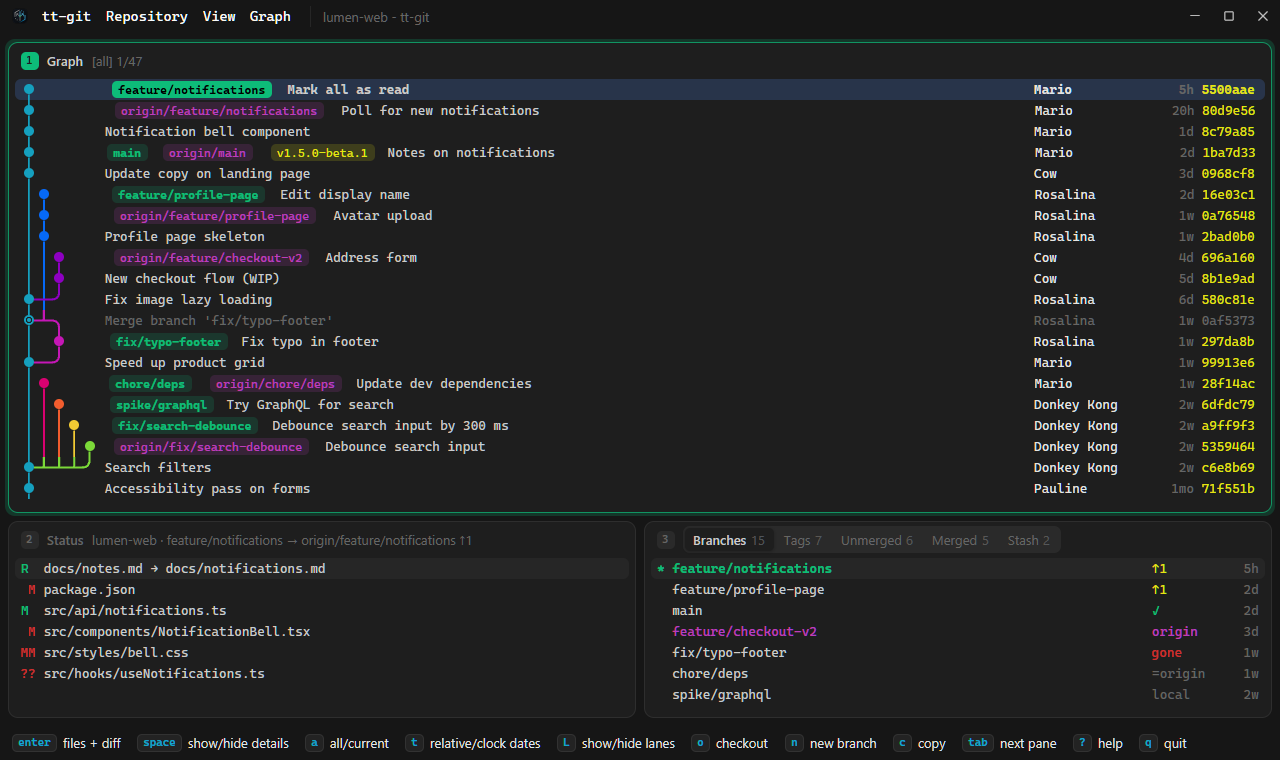
tt-git-gui is tt-git as a desktop app. It runs in a window of its own on
Windows, macOS and Linux instead of in a terminal. Under the window it’s the
same program: the same panes, the same keys, the same config and plugins.
Everything else on this site applies to it.
Built with GPUI
Section titled “Built with GPUI”The desktop app is drawn with GPUI, the UI framework the Zed editor is built on. GPUI draws every frame on the GPU (Direct3D 11 on Windows, Metal on macOS, Vulkan on Linux), so the graph, diffs and blame scroll smoothly, at any size and zoom. The title bar, menus and right-click menus come from gpui-component; the panes are tt-git’s own, in the same theme as the terminal app. By default they’re drawn as rounded cards with headers in your system’s UI font; the terminal style draws them in the same monospace boxes as the terminal app.
GPUI only draws. What the app does, from the keymap to the git commands it runs, is shared with the terminal app, which is why the two can’t drift apart. How it’s built shows the crates and how the two front ends share them.
The desktop app adds what a window can do and a terminal can’t:
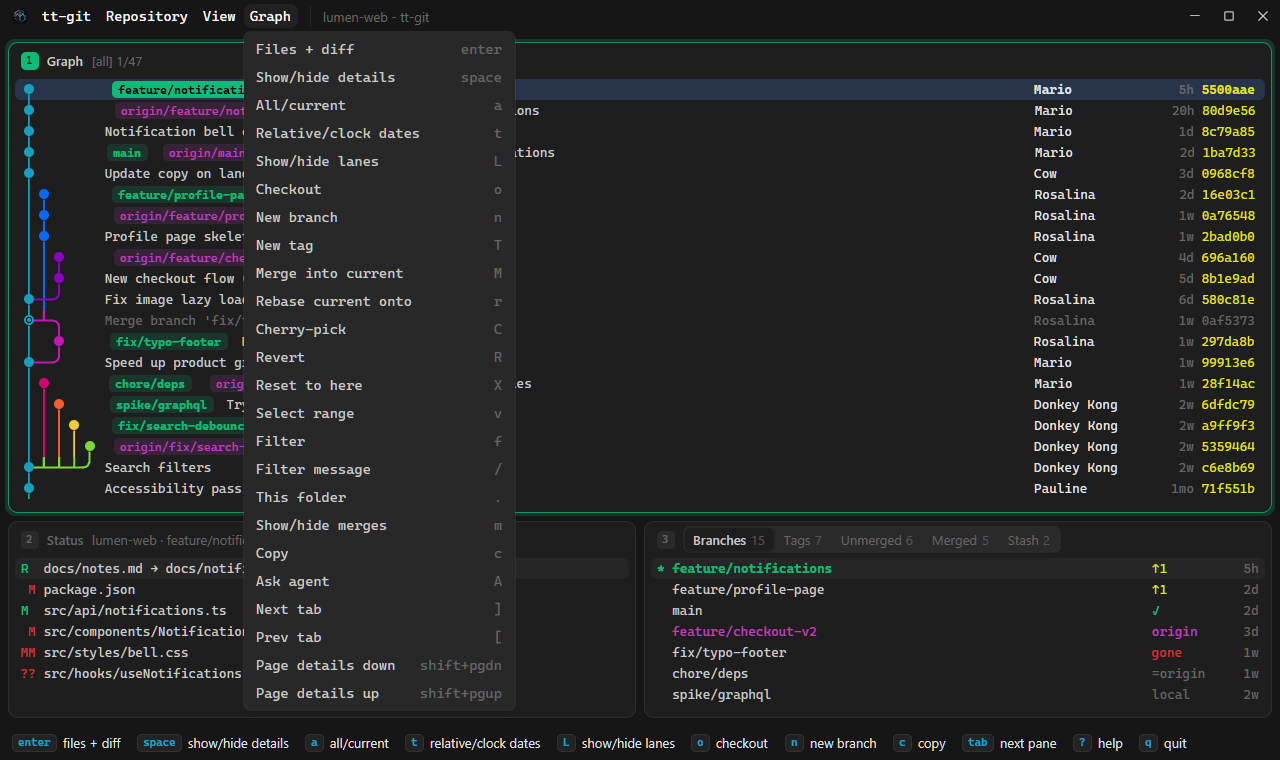
- Menus listing every command with its key.
- Right-click a pane for a menu of what you can do on the row you clicked.
- Drag the borders between panes to resize them.
- One window per repository. Open another repository and it gets its own window.
- A start window when you open it outside a repository, with the repositories you opened last.
- Notifications when a fetch brings new commits, or an agent commits in another worktree, while you’re in another window, if you turn them on, each kind on its own.
- The taskbar on Windows, and the dock on Linux, shows a push, pull or fetch still running, and with notifications on, a badge for new commits or conflicts. The Windows jump list has your recent repositories.
- The Dock on macOS has your recent repositories in its menu, and with notifications on, a badge for new commits or conflicts.
A look around
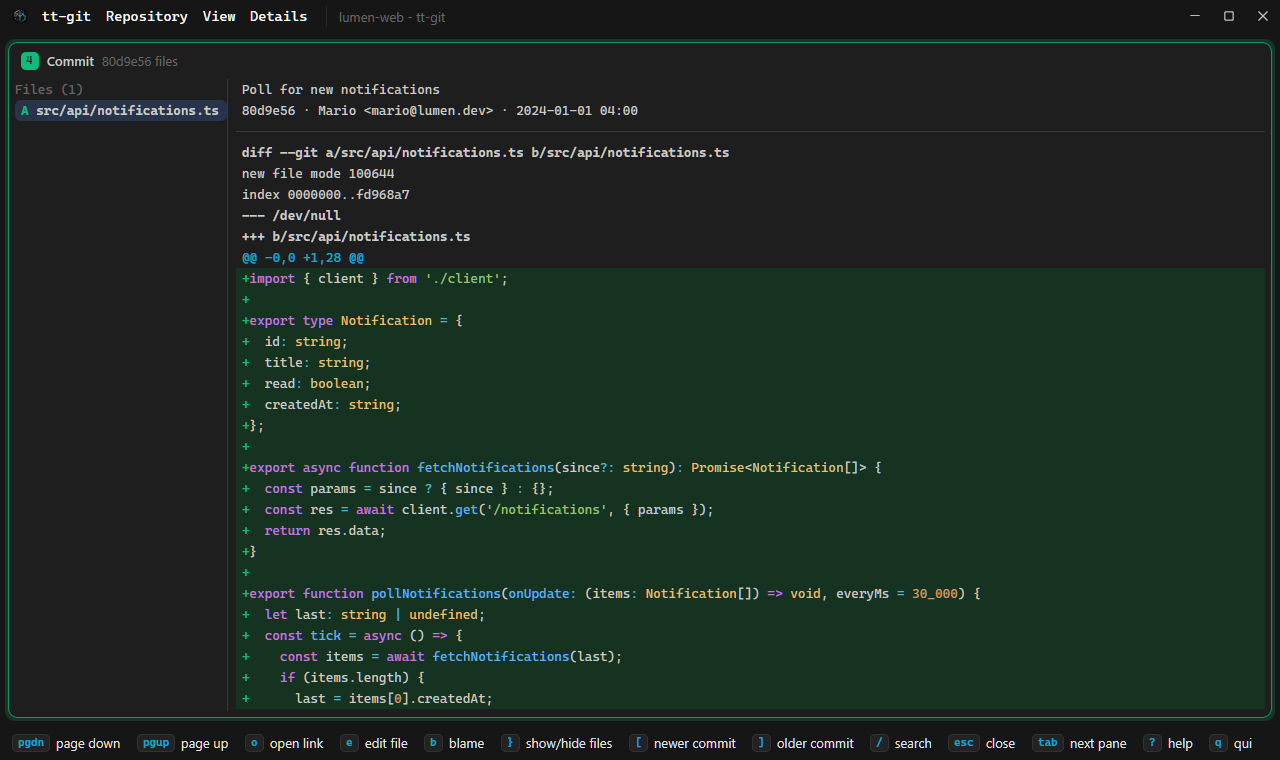
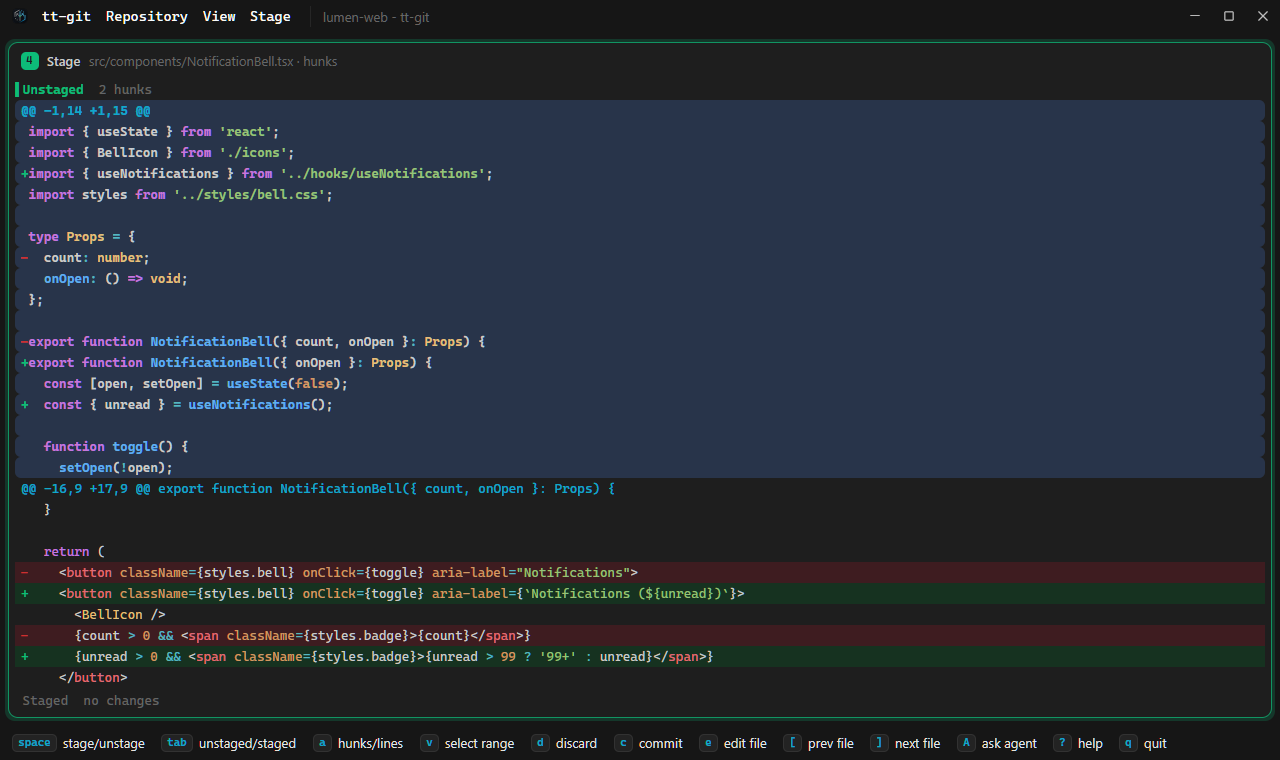
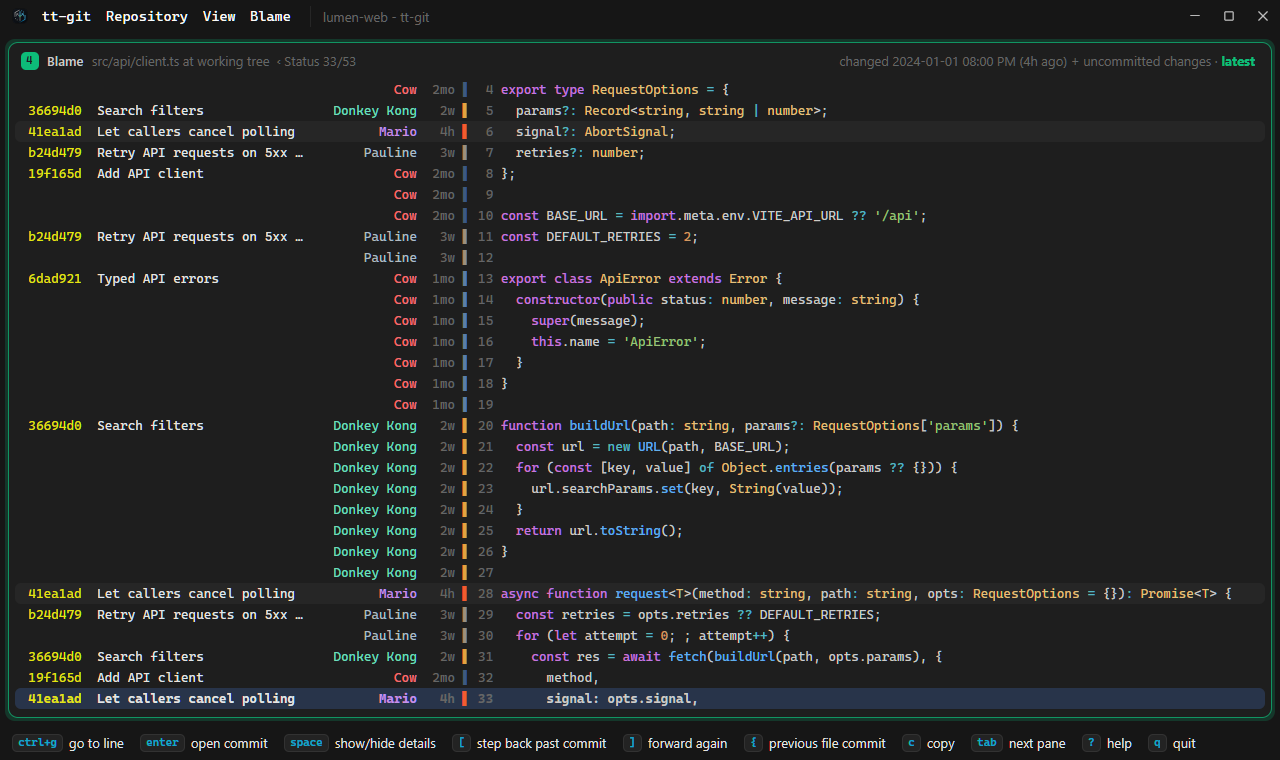
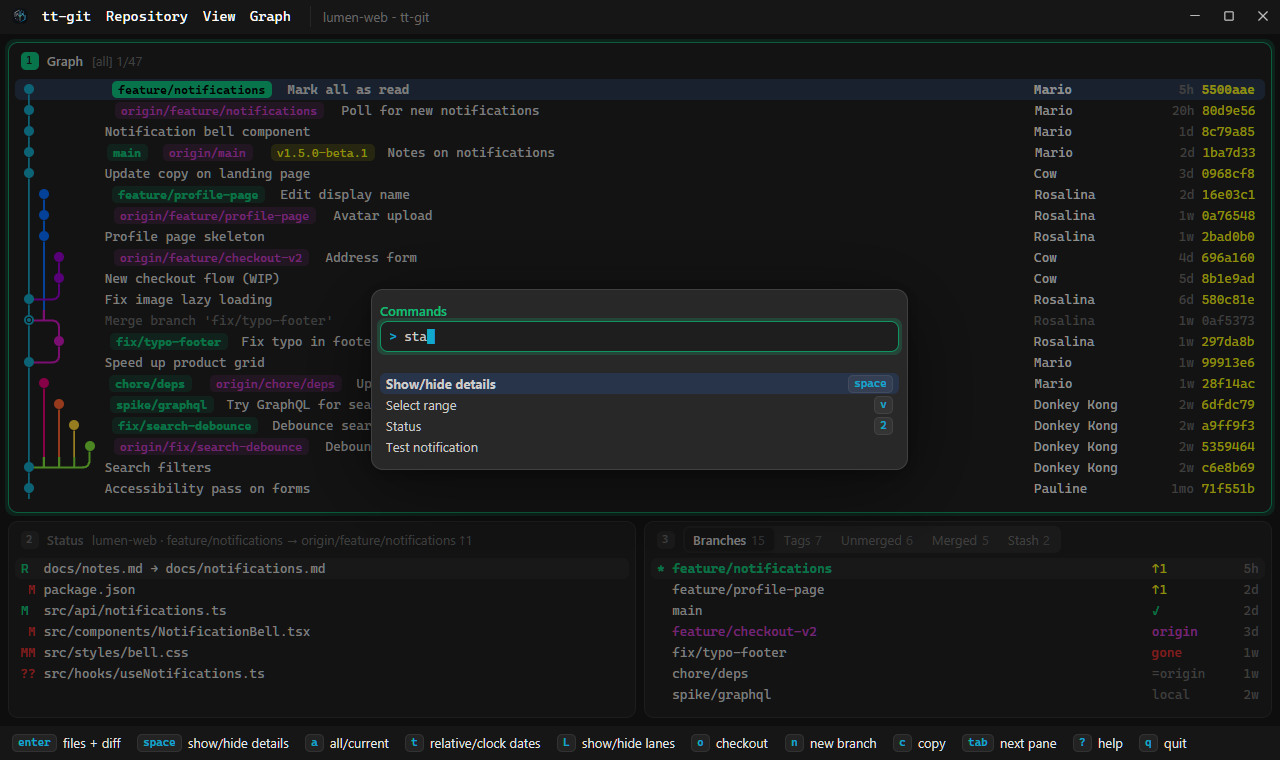
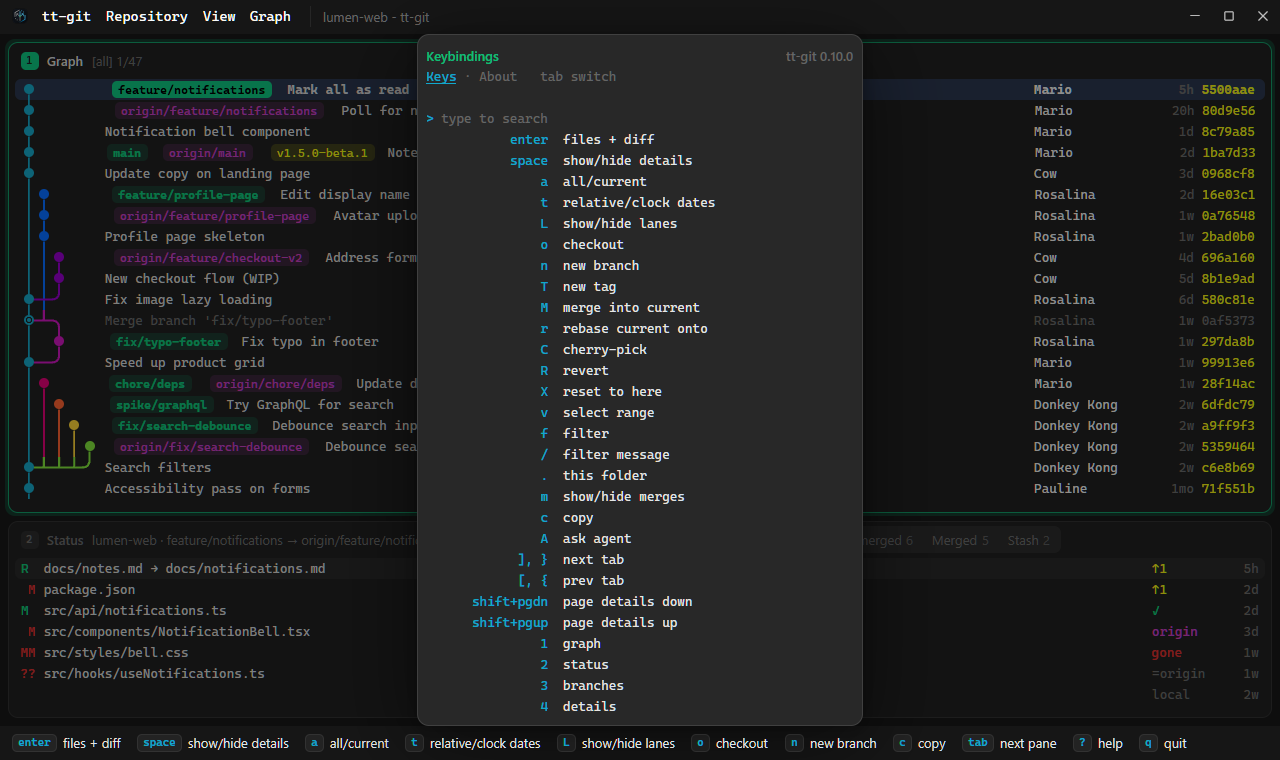
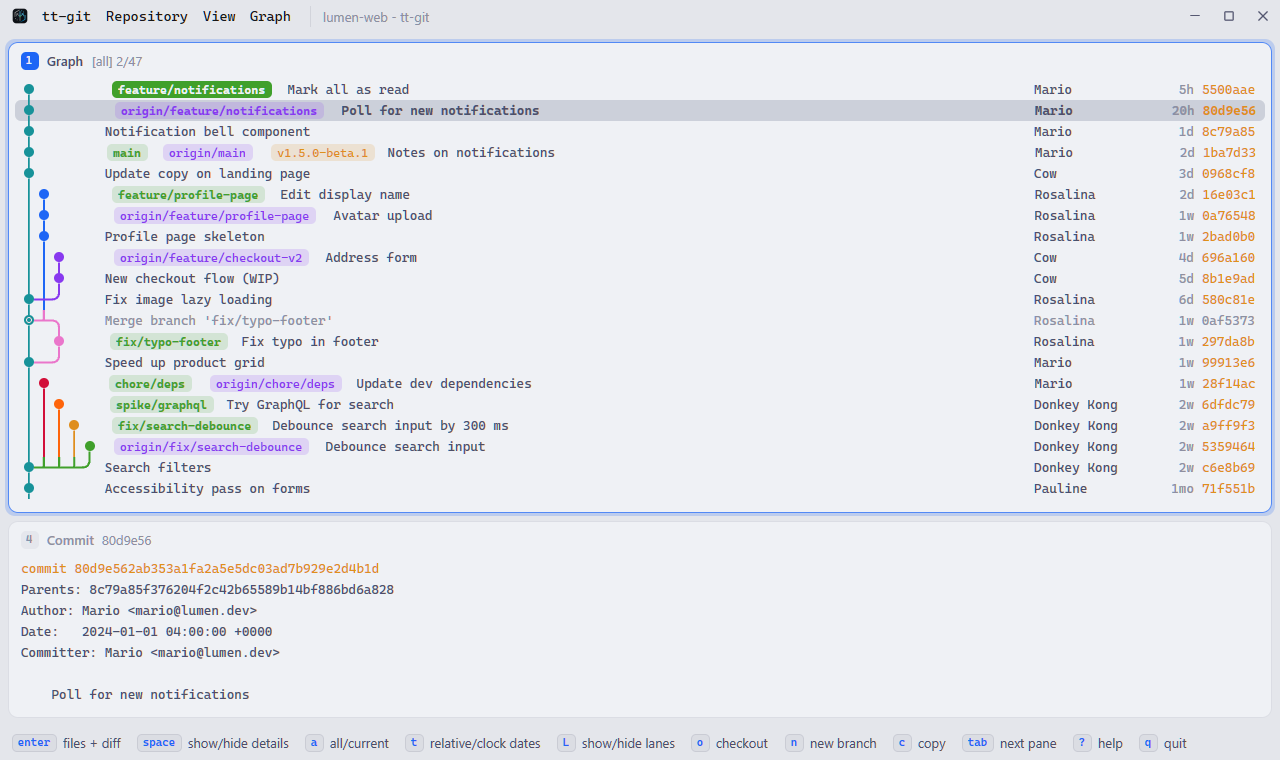
Section titled “A look around”Every pane and dialog from the terminal app is here, drawn in the window.
On each system
Section titled “On each system”The app is the same on all three. What changes is where the menus go and how the window fits in with the desktop.
The window draws its own title bar: the tt-git icon, the menus (tt-git, Repository, View and one for the focused pane), the window’s title, and the minimize, maximize and close buttons.
Install it with the setup program or the zip; see Install and open.
The menus are in the macOS menu bar at the top of the screen, as in any Mac app, each item with its key after its name. The window’s title bar has the traffic-light buttons, then the tt-git icon and the window’s title.
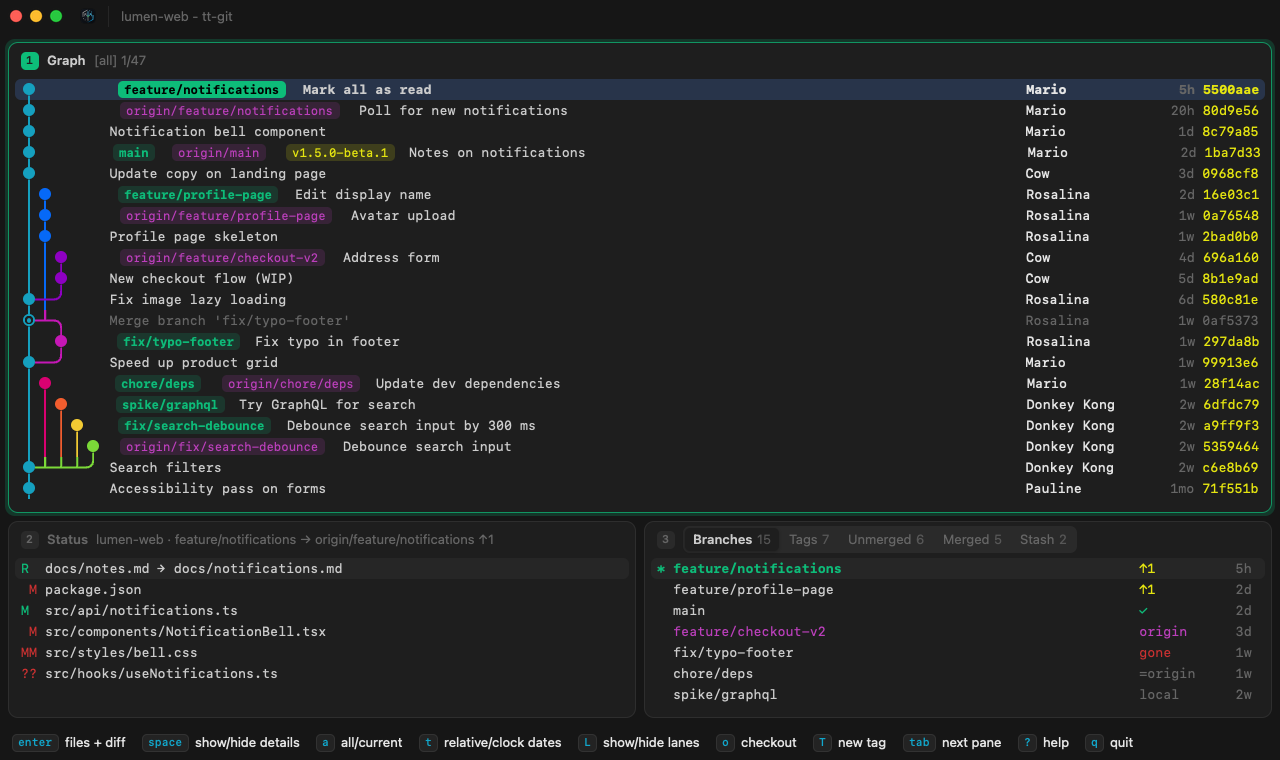
Install it from the .dmg; see Install and open.
The window draws its own title bar with the menus, as on Windows. Under Wayland on GNOME, which leaves window buttons to the app, it draws those too. It runs on Wayland and X11, and draws with Vulkan.
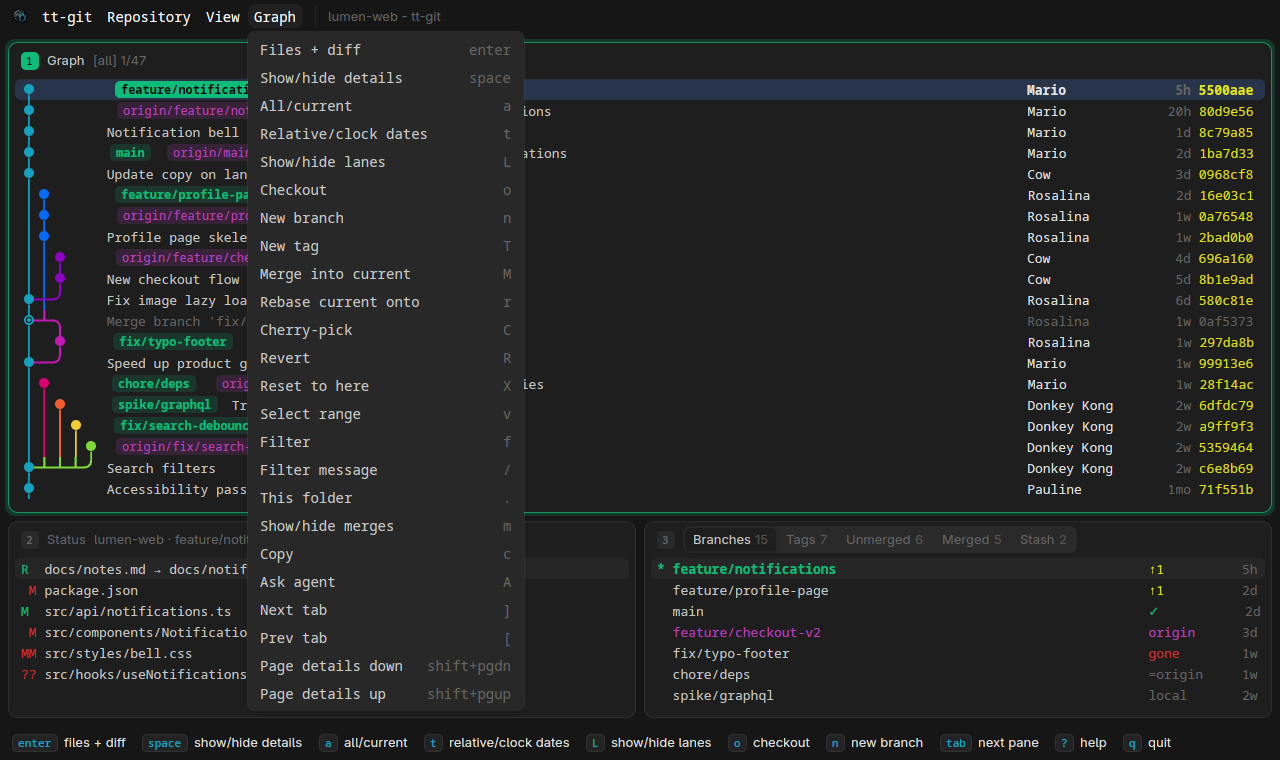
Install it from the tarball or the AppImage; see Install and open.
What’s the same as in the terminal
Section titled “What’s the same as in the terminal”The desktop app runs the same app as tt-git, so you don’t learn anything
twice:
- The panes. Graph, Details, Status, staging, Blame, Branches and its tabs, in the same places and doing the same things.
- The keys. Every key works as in the terminal, in every pane and dialog, with the same defaults. The keymap is the only place keys are bound: the menus, the right-click menus, the help bar, the help popup (?) and the command palette all show the keys from it. See Keyboard shortcuts.
- Your config. The desktop app reads the same
config.toml, the repository’s own.tt-git.tomland.git/tt-git.toml, your key bindings, your layout and your theme. A key you rebind for one is rebound for both. - Plugins. The same installed plugins load, with their actions, event hooks, startup commands and panes. Plugin panes and the agent pane are terminals drawn inside the window.
- git. It runs the
giton yourPATHfor everything, as the terminal app does (see How tt-git uses git).