
Command palette
Opening the palette
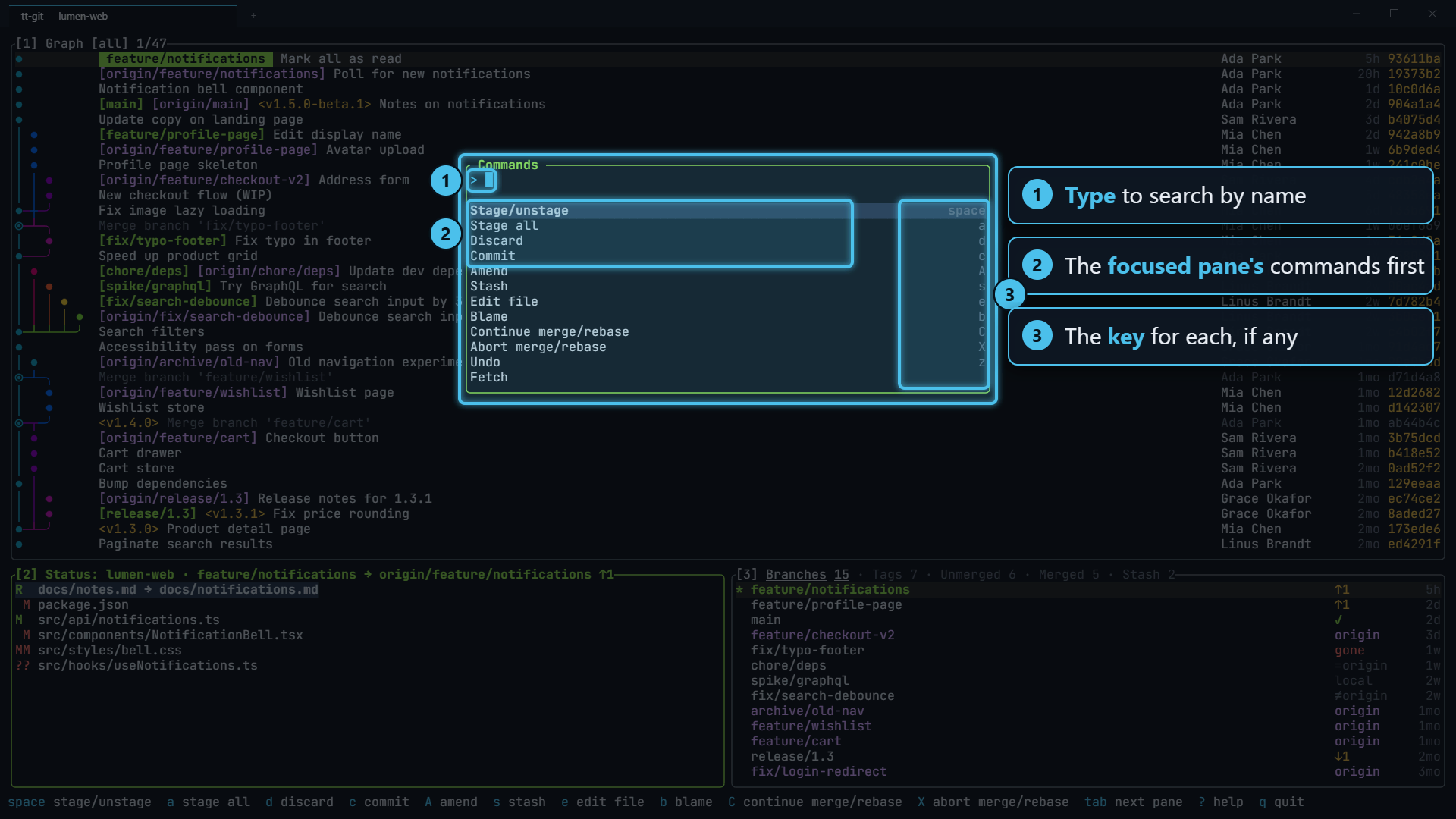
Section titled “Opening the palette”Press : or ctrl+p from any pane. A Commands box opens near the top of the screen with a search line and the list below it.
What it lists
Section titled “What it lists”The list depends on which pane is focused. In order, it shows:
- The focused pane’s commands, such as Stage/unstage, Commit and Stash in the status pane, Checkout, New branch and Fetch in the branches pane, or Open and Remove on its Worktrees tab.
- Plugin actions for what you’re looking at. An action shows up when its plugin offers it everywhere, or for the focused pane: commits in the graph, branches in the branch list, files in the status pane.
- Plugin panes, as Open <title>.
- Common commands that aren’t already listed: Ask agent, continue or abort a merge or rebase, undo, pull, push, refresh, switch the graph between all and current branch, focus a pane, zoom, Plugin logs, Update tt-git and help.
The right side of each row shows its key, if it has one, so the palette doubles as a way to learn the keys. For a plugin action it shows the plugin’s name.
Plugin logs is only in the palette. It opens a list of recent plugin runs with their exit codes and output; see Plugins.
Updating tt-git
Section titled “Updating tt-git”Update tt-git is only in the palette (bind self_update to give it a key).
It checks GitHub for a newer release, with checking for a tt-git update… in
the help bar while it looks:
- If you have the latest release, the help bar says tt-git 0.3.0 is up to date.
- If there’s a newer one, it asks first: tt-git v0.4.0 is out (you have 0.3.0). Download and install it now? Press y to install it or n to leave it.
The install runs in the background while you keep working. The help bar shows a spinner beside update tt-git to v0.4.0, with each line the install script prints next to it. When it’s done it reads ✓ installed tt-git v0.4.0; restart tt-git to use it. If the check or the install fails (no network, say), an error popup shows why, with the script’s output.
It does the same as tt-git update, and
refuses in the same cases, such as a tt-git run from a cargo build.
Searching
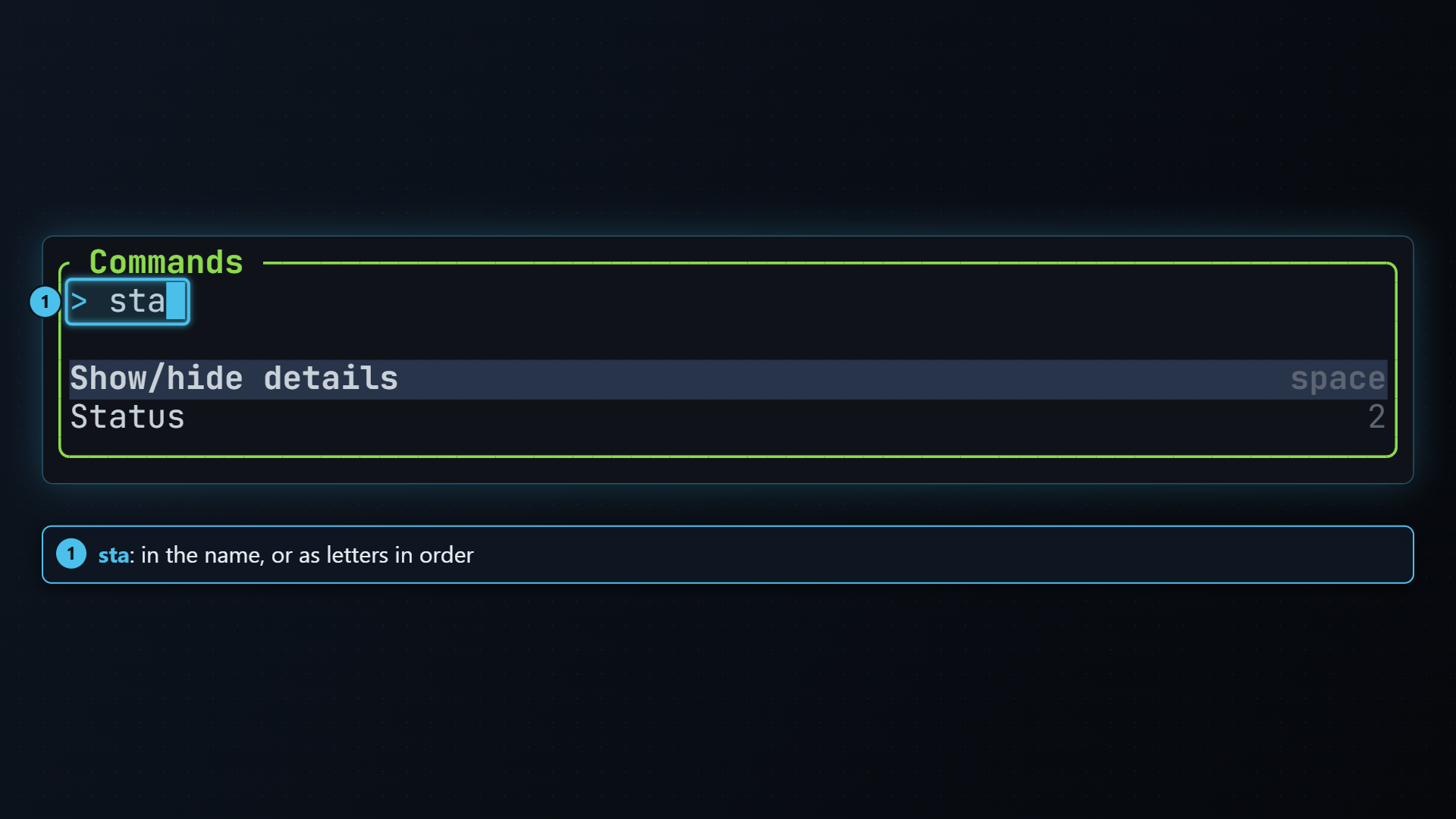
Section titled “Searching”Type to narrow the list. The match ignores case and the letters only have to
appear in order, so nbr finds New branch and plo finds Plugin logs.
| Key | Does |
|---|---|
| ↓ / ctrl+n | Next entry |
| ↑ / ctrl+p | Previous entry |
| backspace | Delete the last character typed |
| enter | Run the selected entry |
| esc | Close the palette |
In blame, the title reads Commands or a line number: type a
number, with or without a leading :, and the list becomes a single Go to line 42 entry that
enter runs. So : 42 enter goes to line 42, as in vim.
The same kind of list is used elsewhere in tt-git, for example to pick a base branch, and it works the same way.